
|
|
Another Example that will work with the majority of our products!!
Submitted by Sam Bright from the JumpStart BBS
(1) For purposes of this example, create a directory to hold all your Doors (c:\doors). Then create the sub-directory for this example (c:\doors\triangle).
(2) The following example graphic is a screen capture of the Synchronet setup for the Triangle Solitaire game.
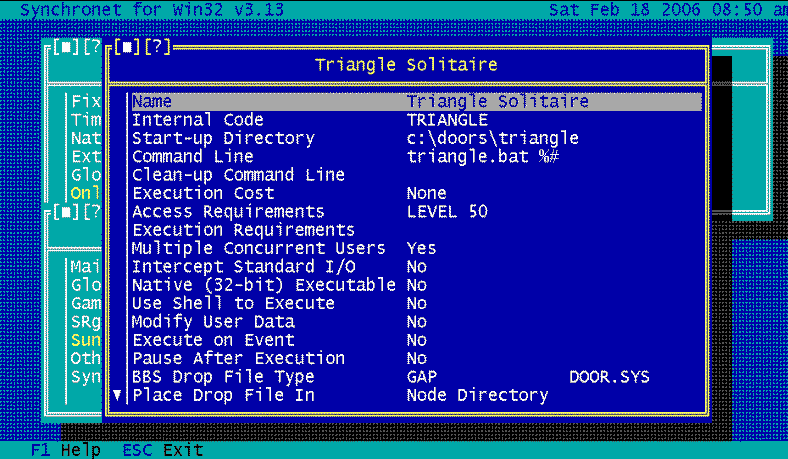
(3) And the contents of the batch file (Triangle.Bat) to run the door is:
set WCNODEID=%1
triangle.exe triangle.cfg /fd
(4) The FIRST line of the Door's CFG file must read as follows:
C:\SBBS\NODE%wcnodeid%\DOOR.SYS

Last modified:
August 11, 2013